Fast and reliable internet access is now a necessity for most people. For example, whether you work from home, attend school via the Internet, watch movies on-line, surf the Web, or browse through other websites, slow internet speeds will cause frustration fast. However, there are many common Internet speed issues which may be improved by making a few relatively easy modifications to your networking and how you use your devices.
Knowing the things that affect internet performance will enable you to find and solve the problem of your poor Internet speeds.
Place Your Router in a Central Location
The placement of your Wi-Fi router has a significant impact upon the strength of your Wi-Fi signal. A router that is positioned at the corner of the home, or positioned behind a lot of large objects will have trouble getting the Wi-Fi signal to the rest of the rooms in the home.
In general, the router should be positioned somewhere in the middle of the home so the Wi-Fi signal will be able to radiate out in all directions of the room you are working in. Positioning the router higher than normal, for example on top of a shelf or a table, can help get the Wi-Fi signal distributed farther around the room.
Wi-Fi signals are weakened by walls, floors, and objects of furniture, particularly in larger homes or in buildings constructed from heavy-duty building materials.
Reduce Interference from Other Devices
Wireless signal interference can come from many things including other electronic devices (such as microwave ovens, cordless phones, Bluetooth devices, etc.) or simply nearby wireless networks. Most modern routers have two different frequency options for you to use: 2.4 GHz and 5 GHz. The 2.4 GHz has a greater range, however it has an increased risk of being affected by interference. The 5 GHz frequency will give you a better speed, however it has a limited distance range. Switching between the 2.4 GHz and 5 GHz will allow you to get better performance based upon your surroundings.
Use a Wired Connection When Possible
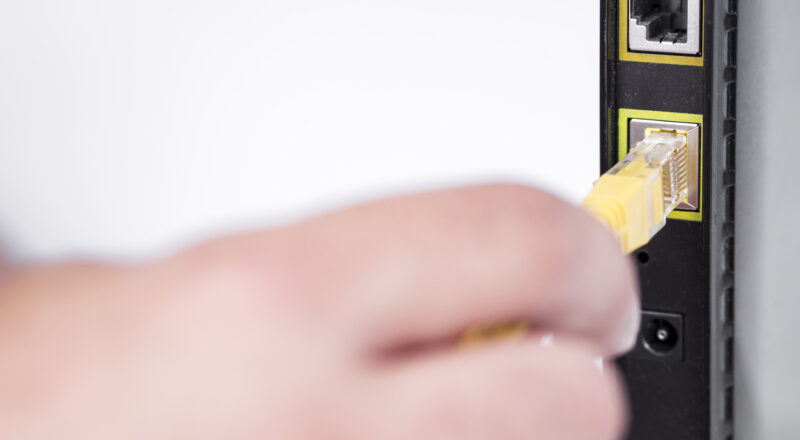
While Wi-Fi may be more convenient than a wired connection with an Ethernet cable for many users, it typically offers more consistent, reliable, and fast internet speeds. Wired connections provide fewer opportunities for error and are less likely to have signal issues due to other sources of interference in your home or office, they also tend to offer lower latency. A wired connection will typically offer you better overall performance for applications that need high reliability (such as video conferencing, on-line gaming, downloading large files) and therefore should be used instead of a wireless connection when possible.
Limit Background Applications
Applications or processes that run in the background can use a user’s available Internet bandwidth (often without their knowledge). Software applications and/or services such as automatic software updates, Cloud Backup Services, Streaming Services, and large file transfers may also be consuming some of the bandwidth that is available for connection speed.
Identifying which applications are currently utilizing bandwidth and shutting down those applications that are NOT being utilized can assist in freeing up bandwidth for other applications that require bandwidth.
Many Operating Systems provide utilities that will assist users in monitoring Network Activity and identifying applications that are consuming large amounts of data.
Update Your Router and Devices
Technology changes fast, and the older technology for networking (e.g., routers) can be a bottleneck in connection speed. Older routers may not support newer Wi-Fi standards which have improved connectivity speed and efficiency.
Keeping the router’s firmware current is as important as keeping your computer, phone or other device current with the latest operating system; both will help ensure your devices are compatible with newer networking technologies.
Consider Changing Your DNS Server
The DNS (Domain Name System) servers that are provided by your Internet Service Provider (ISP), convert your device’s request for a specific web site name, into an IP address so your device can access it.
In many cases, public DNS services, like Google DNS or Cloudflare DNS, will provide better response times, and therefore make the time to download your requested webpage, slightly less than when using the ISP’s DNS servers.
Typically changing your DNS settings is easy and can be completed either via your devices’ settings or the settings on your router.
Check for Malware or Unwanted Software
Scan your system regularly for malware or unwanted software which may be using your Internet bandwidth to transmit information or download additional components. Malware may contact remote servers, download additional files or otherwise consume bandwidth in the background. This is something you would want to scan for using a good reputable virus scanner on a regular basis as it will help protect against malware but also improve your overall network performance.
Monitor the Number of Connected Devices
Modern households include several types of electronic devices that are all connected to the same computer network (smartphones, laptops, smart TV’s, gaming systems, smart home systems). When a number of different devices access the internet at the same time, they share available bandwidth.
The speed of your entire network will likely decrease when many devices are accessing video content, downloading file content, etc. simultaneously.
To ensure you maintain as fast of an internet connection as possible, manage your device usage and download large files during less busy times of the day.
Contact Your Internet Service Provider
The modern household has many types of electronic devices which all connect to the same local computer network (laptops, smartphones, Smart TVs, gaming systems, smart home systems) . When multiple devices are accessing the Internet at the same time, these devices are sharing the total amount of bandwidth available for use on the network.
When many devices are using your bandwidth at the same time to access video content, download file content, etc., the overall speed of your Internet connection is likely to be slower than it would be if fewer devices were being used simultaneously.
Therefore, in order to maximize the speed of your Internet connection, limit how you utilize your devices and download large files when there are fewer users on your network.
Final Thoughts
The speed of an internet connection is impacted by several different things, such as how routers are positioned in a home or business, what devices are being used on the network, other networks (interference), and the quality of equipment. Most of these variables can be adjusted with some basic changes and routine maintenance to improve them.
You can easily adjust most of the common causes of poor performance of a home network by restarting your router, placing your WiFi, reducing interference from nearby wireless networks and electronic devices, updating your devices with current software versions, and limiting the number of devices that are connected at one time.
If you take the time to learn about your home network and apply some of the very simple tips listed above, you will likely find yourself enjoying a faster and more reliable internet experience for everyday activities, entertainment, and communication via the internet.